
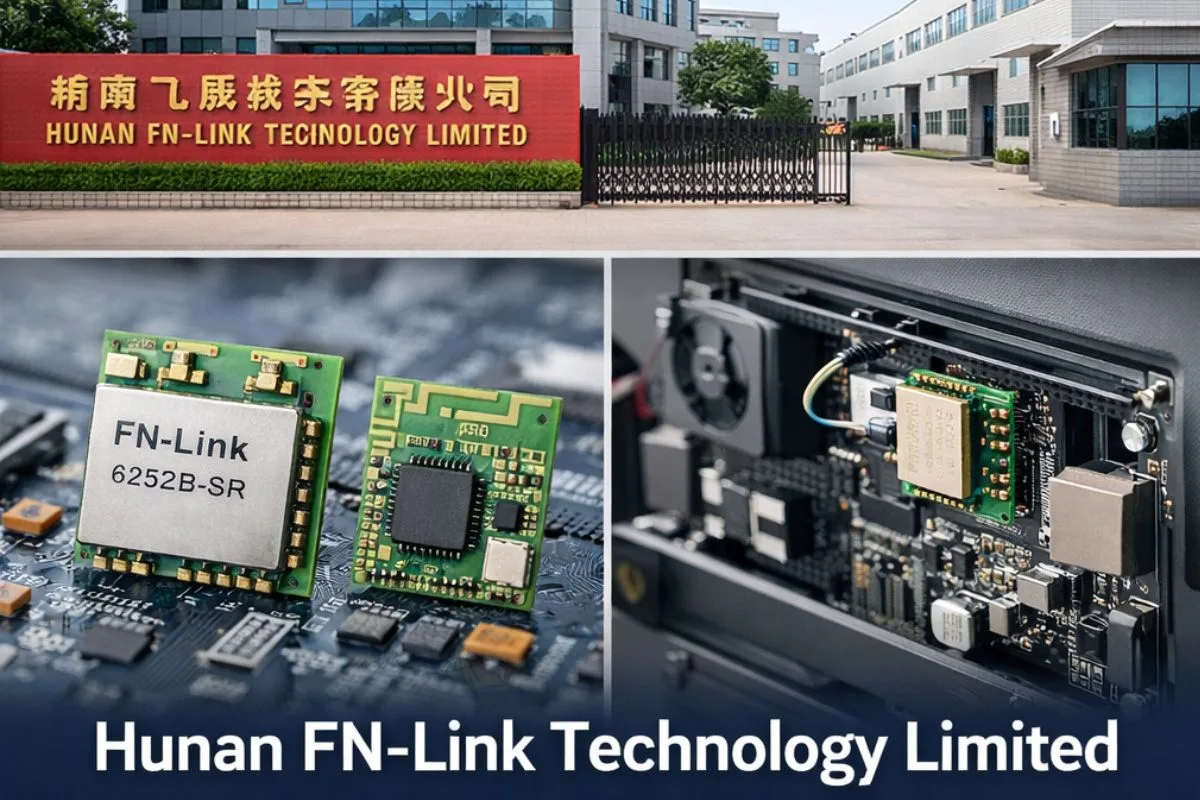
Hunan Fn-link Technology Limited

Choosing the right Wi-Fi and Bluetooth module can make or break your product timeline. Hunan Fn-link Technology Limited is a Chinese manufacturer that offers cost-effective wireless modules for IoT devices, set-top boxes, smart TVs, and gateways. This guide walks you through everything you need to know before you buy, integrate, and certify a Hunan Fn-link Technology Limited module in your design.

Whether you’re an engineer selecting hardware, a product manager comparing suppliers, or a buyer negotiating terms, you’ll find practical checklists, clear trade-offs, and step-by-step advice that helps you avoid common pitfalls.

You’ll learn which specs matter most, how to verify certifications for the US, UK, Australia, Canada, and Germany, and when Hunan Fn-link Technology Limited is the right fit compared to brands like Murata, u-blox, or Espressif.

Who This Guide Is For

  • Hardware and firmware engineers designing connected products
  • Product managers and technical buyers comparing wireless module suppliers
  • Startups and small teams working on cost-sensitive IoT or consumer devices
  • Anyone who needs to understand module integration, compliance, and sourcing

What You Will Take Away

  • Key specifications to check and common trade-offs when selecting modules
  • A simple, step-by-step process to choose the right Hunan Fn-link Technology Limited module for your project
  • Integration checklists covering hardware, software, RF design, and compliance
  • Supply chain tips: samples, MOQs, lead times, and how to avoid counterfeits
  • Fair comparisons with alternative module brands

What Hunan Fn-link Technology Limited Makes and Who It Helps

Hunan Fn-link Technology Limited is a module manufacturer based in Hunan Province, China. The company focuses on affordable Wi-Fi and Bluetooth combo modules built around popular chipsets from Realtek, MediaTek, and Broadcom. Hunan Fn-link Technology Limited products target cost-sensitive applications where you need reliable wireless connectivity without premium features or long-term industrial support.

Typical devices using Hunan Fn-link Technology Limited modules:

  • Smart TVs and set-top boxes
  • Home automation hubs and gateways
  • IP cameras and video doorbells
  • Tablet computers and media players
  • Light industrial equipment running Linux or Android

Core Product Families

Hunan Fn-link Technology Limited offers three main module categories:

  1. Wi-Fi only modules – Single-band (2.4 GHz) or dual-band (2.4 + 5 GHz), typically 802.11n or 802.11ac
  2. Wi-Fi + Bluetooth combo modules – Combined radio with shared antenna support, supporting Bluetooth Classic and BLE
  3. Wi-Fi 6/6E modules – Newer models with 802.11ax support for higher throughput and lower latency

Common chipsets:

  • Realtek RTL8822, RTL8821, RTL8723 series
  • MediaTek MT7921, MT7668
  • Broadcom BCM variants

Typical interfaces:

  • USB (USB 2.0 or USB 3.0) Easier software integration, plug-and-play on many platforms
  • SDIO (Secure Digital Input/Output) Lower CPU overhead, better for embedded Linux systems

When This Brand Fits

Hunan Hunan Fn-link Technology Limited modules are a good match when:

  • Budget is tight and you need to hit an aggressive BOM cost target
  • You’re building on Linux or Android platforms with community driver support
  • You need quick sampling via marketplaces like AliExpress, Alibaba, or local distributors
  • Your product volume is moderate (thousands to hundreds of thousands of units)
  • You can handle some integration effort and driver troubleshooting

When to look elsewhere:

  • You need guaranteed long-term availability (5-10+ years)
  • Your application is safety-critical or certified industrial (medical, automotive, aerospace)
  • You require dedicated local FAE support and detailed documentation in English
  • You’re designing for very high-volume consumer products (millions of units) where even small cost differences matter

How Fn-link Modules Work Inside Your Device

Understanding the signal chain helps you debug faster and design smarter when working with Hunan Fn-link Technology Limited modules.

The basic flow:

  1. Host CPU runs your application and operating system
  2. Driver software translates commands into signals the module understands
  3. Module firmware controls the radio hardware
  4. RF section transmits and receives wireless signals
  5. Antenna radiates the signal into space (or receives incoming signals)

What impacts performance:

  • Speed: Interface type (USB vs SDIO), antenna quality, and congestion on Wi-Fi channels
  • Range: Transmit power, antenna gain, and RF path losses (cables, PCB layout, enclosure material)
  • Stability: Driver quality, firmware bugs, power supply noise, and coexistence with other radios

Interfaces and Drivers

Choosing the right interface and confirming driver support are critical first steps when selecting Hunan Fn-link Technology Limited modules.

USB vs SDIO: Setup Basics

FeatureUSBSDIO
Ease of integrationPlug-and-play on most Linux/Windows systemsRequires custom device tree or ACPI entry
Driver availabilityWide support, often inbox driversMay need vendor-specific drivers
CPU overheadHigher (polling, interrupts)Lower (DMA, shared memory)
ThroughputGood for most use cases (USB 2.0 ~480 Mbps theoretical)Better for high-speed Wi-Fi 5/6
Board spaceUSB connector + tracesSDIO pads + level shifters if needed
Power consumptionSlightly higherSlightly lower

Rule of thumb: Choose USB if you want faster bring-up and broader OS support. Choose SDIO if you need maximum throughput and lower power, and you have experience with SDIO integration.

Linux, Android, Windows Driver Notes

  • Linux: Check if the chipset has mainline kernel support or if you need a vendor blob. Realtek modules often need out-of-tree drivers that may lag behind kernel updates.
  • Android: Most Hunan Fn-link Technology Limited modules work with AOSP builds, but you may need to patch HAL files or update firmware paths.
  • Windows: Look for WHQL-certified drivers. Many Hunan Fn-link Technology Limited modules use Realtek chipsets with Windows inbox drivers, but double-check the specific model.

Tip: Before you commit to a module, download the datasheet and driver package. Build a test kernel or VM to verify the driver loads and detects the hardware.

RF and Antenna Basics

Good RF design is the difference between a product that “just works” and one that barely connects when using Hunan Fn-link Technology Limited modules.

Keep-Out Zones, Ground, and Cable Length

  • Keep-out zones: Most modules need a 5-10 mm area free of copper pours, components, and metal on all PCB layers directly under and around the module.
  • Ground plane: A solid, continuous ground plane under the module improves return path and reduces noise. Avoid slots or cutouts that break the ground.
  • Cable length: If you use a coaxial cable (U.FL to antenna), keep it as short as possible (ideally <10 cm). Each extra centimeter adds loss and increases the chance of detuning.

Coexistence Tips for Wi-Fi + Bluetooth

Wi-Fi and Bluetooth share the 2.4 GHz band. Combo modules include coexistence logic, but you still need to:

  • Use a shared antenna with proper matching, or ensure dual antennas are isolated
  • Enable coexistence signaling in firmware (check vendor documentation)
  • Test real-world scenarios: streaming video over Wi-Fi while using a Bluetooth headset

Tip: Always do a pre-compliance RF scan before final compliance testing. Catch antenna or layout issues early when they’re cheap to fix.

Certifications and Labeling

Regulatory approval is not optional. Plan early to avoid launch delays when working with Hunan Fn-link Technology Limited modules.

Modular Approvals (FCC, CE/UKCA, RCM, ISED)

A modular approval means the module itself has been tested and certified. You can inherit this approval for your final product if you meet certain conditions:

  • The module has its own shielding (usually a metal can)
  • You use the module exactly as tested (same antenna, same configuration)
  • Your product labeling includes the module’s certification ID and any required statements
  • You do not modify the module’s RF parameters or firmware in ways that affect performance

Key marks and regions:

RegionMarkAuthorityNotes
United StatesFCC IDFederal Communications CommissionMust display FCC ID on module or product label
United KingdomUKCAPost-Brexit UK markReplaced CE for GB market; CE still valid for transition
European UnionCEEuropean conformityRED directive for radio equipment
Australia/NZRCMAustralian Communications and Media AuthorityLabel must include supplier details
CanadaISED (IC)Innovation, Science and Economic DevelopmentSimilar to FCC; often tested together
GermanyCE + Bundesnetzagentur notesFederal Network AgencyAdditional frequency restrictions may apply

When Extra Tests Are Still Required

Even with a modular approval from Hunan Fn-link Technology Limited, you may need to perform:

  • Conducted emissions and immunity tests (EMC) for the whole product
  • SAR testing if the module is used near the human body (wearables, handhelds)
  • Re-testing if you change the antenna type, add gain, or modify the enclosure in ways that affect radiation patterns

Tip: Request the module’s test reports and grant documents before you design it in. Verify that the FCC ID, IC number, or CE declaration matches the part number you’re buying.

Limits and Risks to Plan For

No module is perfect. Set realistic expectations and plan mitigation early when working with Hunan Fn-link Technology Limited modules.

Driver and Firmware Pitfalls

Version mismatches: Kernel updates may break out-of-tree drivers. You might need to maintain a fork or wait for vendor updates.

Missing features: Not all Hunan Fn-link Technology Limited modules support advanced features like WPA3, 802.11k/v/r roaming, or mesh protocols out of the box. Check the firmware changelog and feature list.

Vendor blobs: Closed-source drivers and firmware mean you can’t fix bugs yourself. You rely on the vendor’s update cycle, which may slow down or stop after a product’s initial run.

Maintenance load: Budget time for driver patches, security updates, and regression testing across kernel or OS versions.

RF Risks

Antenna mismatch: Using a different antenna than the one in the certification test can detune the radio, reducing range or violating regulations.

Detuning: Nearby metal parts, plastics with conductive fillers, or human hands can shift the antenna’s resonance. Test your product in its final enclosure, ideally with real users.

Noise: Switching power supplies, LCD panels, and motor drivers can inject noise into the 2.4 GHz and 5 GHz bands. Good grounding, filtering, and layout reduce this.

Enclosure and cable effects: A metal case acts as a Faraday cage. Plastic cases with metallic paint can block signals. Test RF performance early and often.

Compliance and Documentation Gaps

Not all modules share the same IDs: Two Hunan Fn-link Technology Limited modules with similar model numbers might have different FCC IDs if antennas or chipsets vary. Always verify the exact part number and revision.

Missing or incomplete docs: Datasheets may be sparse or only available in Chinese. Integration guides might lack details on GPIO mappings, power sequencing, or firmware update procedures.

Change logs: Module manufacturers sometimes update chipsets, antennas, or layouts without changing the model number. Request a Product Change Notification (PCN) process and verify lot codes.

Tip: Build contingency into your schedule. Plan for at least one round of driver debugging, one RF iteration, and one compliance re-test.

Step-by-Step: Choose the Right Fn-link Module

Follow these steps in order when selecting a Hunan Fn-link Technology Limited module. Each decision narrows your options and reduces risk.

1. Define Use Case and Targets

Write down your must-have requirements:

  • Data rate: Do you need basic web browsing (10 Mbps), HD video streaming (25 Mbps), or 4K streaming (50+ Mbps)?
  • Range: Indoor only, or outdoor/industrial? Line-of-sight or through walls?
  • Power budget: Battery-powered (need low-power modes) or always plugged in?
  • Environment: Operating temperature, humidity, shock/vibration
  • Budget: Target BOM cost per unit at your expected volume

2. Pick Interface and OS Support

  • What is your host CPU? Does it have USB, SDIO, or both?
  • What OS will you run? Check driver availability for your kernel or OS version.
  • Do you have experience with SDIO bring-up, or do you prefer the simplicity of USB?

Decision: Choose USB if you want plug-and-play and broad compatibility. Choose SDIO if you need performance and lower CPU load.

3. Select Bands and Wi-Fi Generation

  • 2.4 GHz only (802.11n): Cheapest, best range, but crowded and slower
  • Dual-band 2.4 + 5 GHz (802.11ac or 802.11ax): Faster, less interference, shorter range on 5 GHz
  • Wi-Fi 6 (802.11ax): Better in dense environments, lower latency, higher cost

Bluetooth needs:

  • Bluetooth Classic for audio streaming
  • Bluetooth Low Energy (BLE) for sensors, wearables, beacons
  • Bluetooth version: 4.2, 5.0, 5.1, or 5.2? Check if you need features like LE Audio or direction finding.

Tip: Don’t over-spec. If 2.4 GHz 802.11n meets your throughput and range needs, save cost and complexity.

4. Check Size, Antenna, and Power

  • Footprint: Does the Hunan Fn-link Technology Limited module fit your PCB? Check length, width, height, and keep-out zones.
  • Connectors: U.FL (IPEX) for external antenna, or integrated PCB antenna?
  • Antenna type: Chip antenna, PCB trace antenna, or external whip/dipole?
  • Peak current: Does your power supply handle the radio’s transmit burst (often 300–500 mA)?
  • Power rails: What voltages does the module need? (Common: 3.3V, sometimes 1.8V or 5V)

5. Verify Approvals and Timeline

  • Which countries will you sell in? Confirm the Hunan Fn-link Technology Limited module has valid FCC, CE, UKCA, RCM, ISED marks.
  • Download the test reports and verify the FCC ID or certification number.
  • Check the certification expiry or renewal status (some regions require periodic renewals).
  • Compare your launch date against typical lead times (see Buying section below).

Integration Checklist: From Prototype to Test

Use these checklists to avoid missed steps and rework when integrating Hunan Fn-link Technology Limited modules.

Hardware Checklist

  •  Power supply: Stable 3.3V rail (or module’s required voltage) with low ripple
  •  Decoupling capacitors: Follow datasheet recommendations (typically 10µF + 0.1µF near power pins)
  •  Reset line: Connect and verify polarity (active-high or active-low)
  •  Clocks: If the module needs an external crystal or clock input, match frequency and load caps
  •  Test pads: Add pads for UART debug, GPIO, or JTAG access
  •  PCB keep-outs: Clear area under and around module per datasheet (usually 5–10 mm)
  •  Antenna routing: 50-ohm controlled impedance for RF trace; minimize length and vias
  •  Ground plane: Solid, unbroken ground under and around the module
  •  ESD protection: Add TVS diodes if the antenna connector is exposed

Software Checklist

  •  Driver installation: Compile and load the correct driver for your kernel/OS version
  •  Firmware files: Copy firmware blobs to the correct path (often /lib/firmware/)
  •  Device enumeration: Confirm the module appears in lsusb, lspci, or lssdio
  •  Network manager: Configure wpa_supplicant, NetworkManager, or equivalent
  •  Throughput test: Measure TCP and UDP speeds using iperf3 or similar
  •  Latency test: Ping times, jitter, and packet loss under load
  •  Stability test: 24–72 hour soak test with continuous traffic and reconnects
  •  Bluetooth pairing: Test pairing, bonding, and data transfer if applicable
  •  Power management: Verify sleep modes, wake-on-WLAN, and current draw

RF and Compliance Checklist

  •  Antenna tuning: Use a network analyzer or return loss bridge to check VSWR < 2:1
  •  Pre-scan: Do a quick spectrum sweep to check for spurious emissions or harmonics
  •  Radiated power: Measure conducted power at the antenna port; should match certification limits
  •  Range test: Real-world walk test in your target environment
  •  Coexistence test: Run Wi-Fi and Bluetooth simultaneously; check for interference
  •  Enclosure test: Repeat range and throughput tests with final plastic or metal case
  •  Labeling plan: Prepare label artwork with FCC ID, IC number, CE mark, and any required statements
  •  User manual: Include required regulatory statements (often provided by the certification lab)

Tip: Don’t wait until the end to test RF. Catch antenna and layout issues in the prototype phase when changes are still cheap.

Buying and Supply Chain Guide

Smart sourcing saves time, money, and headaches when purchasing Hunan Fn-link Technology Limited modules.

Samples, MOQs, and Pricing

Sample path:

  • Marketplaces: You can often buy 1–10 Hunan Fn-link Technology Limited samples from AliExpress or Alibaba sellers for quick evaluation. Delivery is usually 1–3 weeks.
  • Direct from manufacturer: Contact Hunan Fn-link Technology Limited or their authorized distributors for engineering samples. Lead time is typically 2–4 weeks.
  • Pricing: Samples may be free or at a premium price. Production pricing depends on volume.

Typical MOQ ranges:

  • Low volume (pilot run): 100–500 pieces
  • Medium volume: 1,000–10,000 pieces
  • High volume: 10,000+ pieces (best pricing)

What to share in your RFQ:

  • Target annual volume and order frequency
  • Target price (if you have one)
  • Delivery schedule and lead-time requirements
  • Required certifications (FCC, CE, etc.)
  • Any special packaging or labeling needs

Lead Times, Shipping, and Incoterms

Typical lead times for Hunan Fn-link Technology Limited modules:

  • Stock items: 1-2 weeks (if distributor has inventory)
  • Made-to-order: 4-8 weeks from order confirmation
  • Custom or new design: 8-12 weeks plus tooling time

Buffer recommendation: Add 2-4 weeks to the quoted lead time for your production schedule. Factor in shipping delays, customs clearance, and inspection time.

Common Incoterms:

  • EXW (Ex Works): You arrange and pay for all shipping and import. Lowest seller price, highest buyer risk.
  • FOB (Free On Board): Seller handles export and loading onto ship; you pay ocean freight and import.
  • CIF (Cost, Insurance, Freight): Seller pays shipping and insurance to your port; you handle import customs.

Tip: For your first Hunan Fn-link Technology Limited order, consider using a freight forwarder or working with a distributor who handles import logistics. The extra cost buys you peace of mind.

Distributors and Authenticity

How to vet sellers:

  • Check seller ratings and transaction history on marketplaces
  • Request business license and manufacturer authorization letter
  • Ask for recent product photos with date stamps and lot codes
  • Verify packaging matches official Hunan Fn-link Technology Limited branding (if available)

Red flags for counterfeits:

  • Price significantly below market rate
  • Generic packaging or missing lot codes
  • Seller can’t provide datasheet or test reports
  • Module markings are blurry, misspelled, or missing
  • ESD bag is generic or reused

Best practices:

  • Order a small test batch before committing to large volumes
  • Inspect modules under magnification; check for solder quality and rework
  • Run functional tests (enumerate, driver load, throughput) on 100% of a sample batch
  • Store modules in ESD-safe packaging with desiccant if you’re in a humid environment

Fn-link vs Alternatives: Pick the Best Fit

Here’s how Hunan Fn-link Technology Limited stacks up against other common module brands. Use this to guide your decision.

Fn-link vs Murata

FactorHunan Fn-link Technology LimitedMurata
PriceLower (often 30–50% less)Higher (premium pricing)
SizeStandard modules; some compact optionsVery compact (Type 1LD, 1LV series)
DocumentationBasic datasheets; limited English supportExtensive app notes, FAE support
Driver supportRealtek/MediaTek community driversWell-supported (Cypress, NXP chipsets)
Lead time4–8 weeks8–16 weeks (higher demand)
Best forCost-sensitive consumer IoTSpace-constrained, high-reliability designs

When to choose Hunan Fn-link Technology Limited: You need to hit a low BOM cost and can handle some integration effort.

When to choose Murata: You need the smallest footprint, premium support, or are designing for a tier-one brand.

Fn-link vs u-blox

FactorHunan Fn-link Technology Limitedu-blox
Industrial featuresBasicAdvanced (extended temp, vibration)
Product longevity2–4 years typical10+ years with LTS programs
CertificationsFCC, CE, RCM, ISEDGlobal (includes Japan, Korea, many others)
Regional supportLimited outside ChinaStrong EU, US, and APAC support
PriceLowerHigher (2–3× for similar specs)
Best forConsumer, short product lifeIndustrial, automotive, long-term projects

When to choose Hunan Fn-link Technology Limited: You’re building consumer or light industrial products with a 2–5 year lifecycle.

When to choose u-blox: You need guaranteed availability, global certifications, and industrial-grade support.

Fn-link vs Espressif (ESP32)

FactorHunan Fn-link Technology Limited ModuleEspressif ESP32 Module
ApproachHost CPU + wireless moduleIntegrated SoC + wireless in one chip
Price$2–$8 per module$1–$5 per module
ToolingUse existing Linux/Android stackESP-IDF or Arduino; simpler for standalone apps
Feature setDepends on Realtek/MediaTek chipsetRich peripheral set (ADC, DAC, touch, etc.)
Best forAdding wireless to existing CPU designsStandalone IoT nodes, sensors, simple gateways

When to choose Hunan Fn-link Technology Limited: You already have a host CPU (e.g., ARM SoC running Linux) and just need to add Wi-Fi/Bluetooth.

When to choose ESP32: You’re building a simple IoT device and can run your application directly on the ESP32, eliminating a separate host CPU.

Frequently Asked Questions (FAQs)

Do Fn-link modules support Linux, Android, and Windows?

Most Hunan Fn-link Technology Limited modules use Realtek or MediaTek chipsets, which have community and vendor drivers for Linux and Android. Windows support depends on the specific chipset; check if a WHQL-certified driver exists for your module model.

For Linux, verify if your kernel version includes the driver in-tree, or if you need to compile an out-of-tree driver from Realtek or MediaTek. For Android, ensure your vendor provides a HAL and firmware for your AOSP version.

How do I reuse FCC/CE approvals with my product?

You can inherit a Hunan Fn-link Technology Limited module’s certification if the module has its own shielding (metal can), you use it exactly as tested (same antenna, no firmware changes that affect RF), and you follow the modular approval guidelines in FCC Part 15C (for FCC) or RED (for CE).

Your product label must display the module’s FCC ID or CE mark, and you may still need to perform additional EMC or SAR testing depending on your product type.

Why is my throughput low?

Common causes include poor antenna match (check VSWR), weak signal (test closer to the AP), driver or firmware bugs (update to the latest version), or power supply issues (check voltage drop under transmit load).

Run iperf3 tests in both directions (upload and download) and compare results to the Hunan Fn-link Technology Limited module’s datasheet specs. If throughput is far below expected, check for interference on the Wi-Fi channel or try a different band (5 GHz instead of 2.4 GHz).

USB or SDIO: which should I pick?

Choose USB if you want easier software integration, plug-and-play support on most platforms, and you don’t need absolute maximum throughput. Choose SDIO if you need lower CPU overhead, better performance for Wi-Fi 5 or 6, and you have the expertise to configure device tree or ACPI entries.

USB is generally faster to bring up but uses more CPU cycles for data transfer. SDIO is more efficient but requires more integration work.

What are typical MOQs and lead times?

For samples or pilot runs of Hunan Fn-link Technology Limited modules, you can often buy 10-100 pieces with a 1-4 week lead time from distributors or marketplaces. For production, typical MOQ is 500-1,000 pieces with a 4-8 week lead time if the module is in stock at the factory.

Custom orders or new designs may require higher MOQs (5,000+) and longer lead times (8-12 weeks). Always add buffer time for shipping, customs, and potential delays.

Can I use the same module worldwide?

Most Hunan Fn-link Technology Limited modules are certified for FCC (US), ISED (Canada), CE (EU), and RCM (Australia/New Zealand). However, some countries like Japan, South Korea, and India have separate certification requirements.

Check the module’s datasheet and test reports to confirm which countries are covered. If you plan to sell in regions not listed, you may need to submit the module for additional testing and approval.

What if the driver or firmware has a bug?

For community-maintained drivers (common with Realtek chipsets), check GitHub or kernel mailing lists for patches. For vendor-supplied drivers, contact Hunan Fn-link Technology Limited or the chipset vendor (Realtek, MediaTek) for updates.

If the vendor is slow to respond, you may need to work around the issue in your application or switch to a different module. This is a key risk with cost-focused suppliers; plan contingency time in your schedule.

How do I verify I received genuine modules?

Inspect packaging for official branding, lot codes, and tamper-evident seals. Check module markings under magnification for clear, consistent printing. Test a sample batch for functionality (driver load, throughput, RF performance).

Buy from authorized Hunan Fn-link Technology Limited distributors when possible, and request traceability documents (packing list, invoice, manufacturing date code). If in doubt, contact Hunan Fn-link Technology Limited directly with photos and lot codes to verify authenticity.

Do I need to worry about export controls or tariffs?

Wireless modules are generally not subject to strict export controls, but US tariffs on Chinese goods (Section 301) may apply depending on current trade policy. Check the Harmonized Tariff Schedule (HTS) code and consult a customs broker.

Plan for potential duty costs (often 0–25% of product value) and factor these into your landed cost. Some companies manufacture or assemble modules outside China to avoid tariffs; ask your supplier if they offer this option.

Can I customize the firmware or hardware?

Most Hunan Fn-link Technology Limited modules use closed-source firmware from the chipset vendor. You can request feature additions or bug fixes, but changes depend on the vendor’s roadmap and your order volume.

Hardware customization (different antenna connector, additional GPIOs, custom form factor) is possible but usually requires high MOQs (10,000+ units) and NRE (non-recurring engineering) fees. For small volumes, it’s often easier to choose an off-the-shelf module that fits your needs.

Conclusion :

Choosing and integrating a Hunan Fn-link Technology Limited Wi-Fi and Bluetooth module doesn’t have to be overwhelming. Start by clearly defining your use case, performance targets, and budget. Pick the right interface and OS support for your platform. Verify certifications match your target markets (US, UK, Australia, Canada, Germany).

Use the checklists in this guide to catch hardware, software, and RF issues early. Plan for some driver debugging and RF tuning no module is truly plug-and-play. Source carefully to avoid counterfeits, and build buffer time into your schedule for lead times and compliance testing.

Hunan Fn-link Technology Limited modules offer a solid price-performance ratio for consumer IoT, set-top boxes, gateways, and other cost-sensitive designs. They’re not the best fit for every application, but when budget and time-to-market matter, they’re worth serious consideration.

Compare Hunan Fn-link Technology Limited to alternatives like Murata, u-blox, and Espressif based on your specific needs: size, support, longevity, and feature set. Make your choice based on what your product truly requires, not just the lowest price.

With the right preparation and realistic expectations, you can ship a reliable, certified product using Hunan Fn-link Technology Limited modules and do it on time and on budget.

By admin

Leave a Reply

Your email address will not be published. Required fields are marked *